CheckNumber.AI
· 4 min read
Operational Strategies for Web3 Airdrop List Screening
Learn how to optimize your Web3 airdrop signup lists using silent, bulk contact verification to improve campaign efficiency and data integrity.

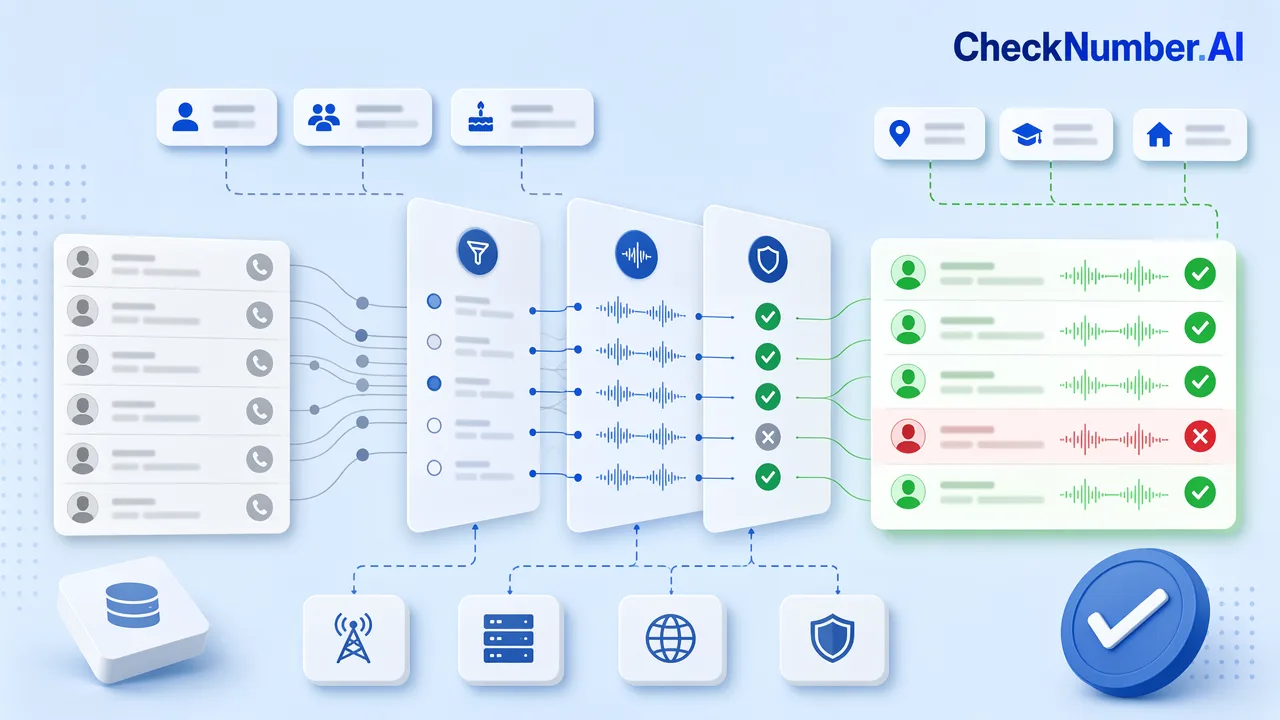
Web3 airdrop list screening involves using bulk contact checks to review signup inputs and prioritize records based on supported account-related signals. By using silent verification tools, project teams can improve list hygiene without sending notifications to users or requiring their interaction, keeping the registration review process focused and non-intrusive.
→ Start verifying — get 1,000 free checks →
The Operational Challenge of Airdrop Signups
Airdrops serve as a common marketing strategy for community growth in the Web3 ecosystem. However, the usefulness of these campaigns depends heavily on the quality of the signup data collected. Managing these lists requires careful attention to duplicate entries, unsupported contact records, and contacts that do not match the campaign’s intended review criteria. When signup lists are unchecked, project teams risk allocating resources to records that should have been routed to a lower-priority segment or manual review.
Why Silent Verification Matters for Web3 Projects
In the context of community management, maintaining privacy and trust is paramount. Silent verification allows project teams to clean their lists and review inputs without alerting users or requiring them to perform any action. This non-intrusive approach keeps the registration process smooth while giving operations teams additional review inputs for list hygiene.
Implementing Bulk Contact Verification
CheckNumber.AI provides silent checks across 45+ platforms, enabling teams to process large volumes of contact data efficiently. The process is performed silently, meaning no notifications are sent to account owners and no user login is required. This capability is useful for teams looking to refine outreach lists, segment unsupported contacts, and add scoped review inputs before distribution. You can also explore tools like our crypto exchange checker to further support exchange-related list screening.
Prioritizing Your Airdrop List
Once your data has been processed, the next step is to prioritize your list based on supported account-related signals. This involves filtering unsupported contacts, separating duplicate entries, and routing ambiguous records for manual review. By using verification data to refine your outreach, you make the list easier to manage before deployment. This operational rigor helps teams keep airdrop workflows organized without treating contact signals as proof of identity, account ownership, or wallet activity.
A Practical Airdrop Screening Workflow
A good screening workflow starts before the reward list is finalized. First, normalize phone numbers and email addresses so duplicate records can be detected reliably. Next, separate records by input type and run only the checks that match the data you collected. After the batch finishes, group records into clear operational segments: supported signals, unsupported signals, duplicates, invalid inputs, and manual-review candidates.
This structure keeps the review process explainable. A community manager can see why a record was routed to a segment, while a risk or operations team can keep the final distribution rules separate from the raw verification result. That separation matters because contact signals should support review decisions, not replace wallet analytics, campaign rules, or abuse investigations.
Signals to Combine Before Distribution
Contact verification is most useful when it is combined with other campaign controls. Teams commonly review wallet age, campaign source, referral path, device or IP risk, previous participation, and community activity alongside phone or email signals. When these inputs point in the same direction, the list is easier to prioritize. When they conflict, the record can be held for manual review instead of being approved or rejected automatically.
For auditability, keep the original input, normalized value, check type, result status, batch ID, and reviewer action together. This makes it easier to answer later questions about why a wallet or contact record was included, delayed, or excluded from a reward run.
FAQ
How can I screen airdrop signup lists without notifying users?
You can use silent verification tools that validate contact information against platform databases without triggering notifications, alerts, or requiring user login, ensuring the process remains non-intrusive.
What are the benefits of using bulk contact verification for Web3 projects?
Bulk contact verification allows project teams to clean signup lists, separate unsupported records, and prioritize review based on scoped account-related signals.
How does silent verification help in managing airdrop campaigns?
It provides an operational layer to review inputs and refine lists before deployment, ensuring that the project team manages data quality effectively without alerting the account owners.